Setting the Control Range
Since the pad can be used universally for all remote controls, the control range (maximum deflection) must be set once. Some transmitters internally generate only ±20% at the control lever, others require the full deflection.
A large control range is important to ensure all functions switch reliably and to minimize interference.
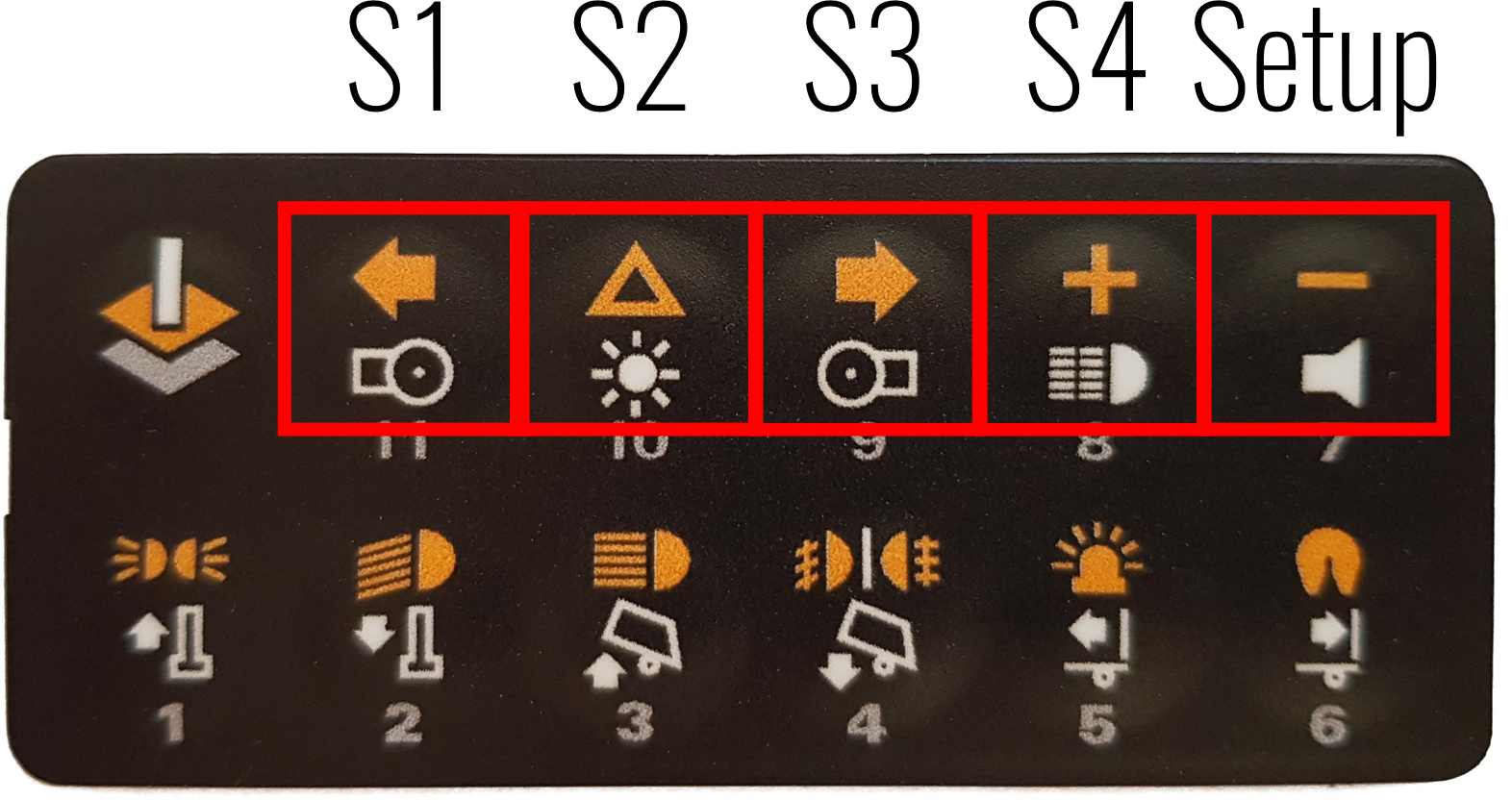
image12.png
If you are pairing the pad for the first time and do not know the appropriate control range, set the range to maximum:
- First press the Setup button and S4 simultaneously (Setup first).
- Start the Kraftwerk ControlPanel and open the LiveData.
- If the channels are not yet paired, pressing the layer button should show a deflection of over 70%.
The layer button generates the maximum deflection in one direction, the minus button the maximum deflection in the other direction.
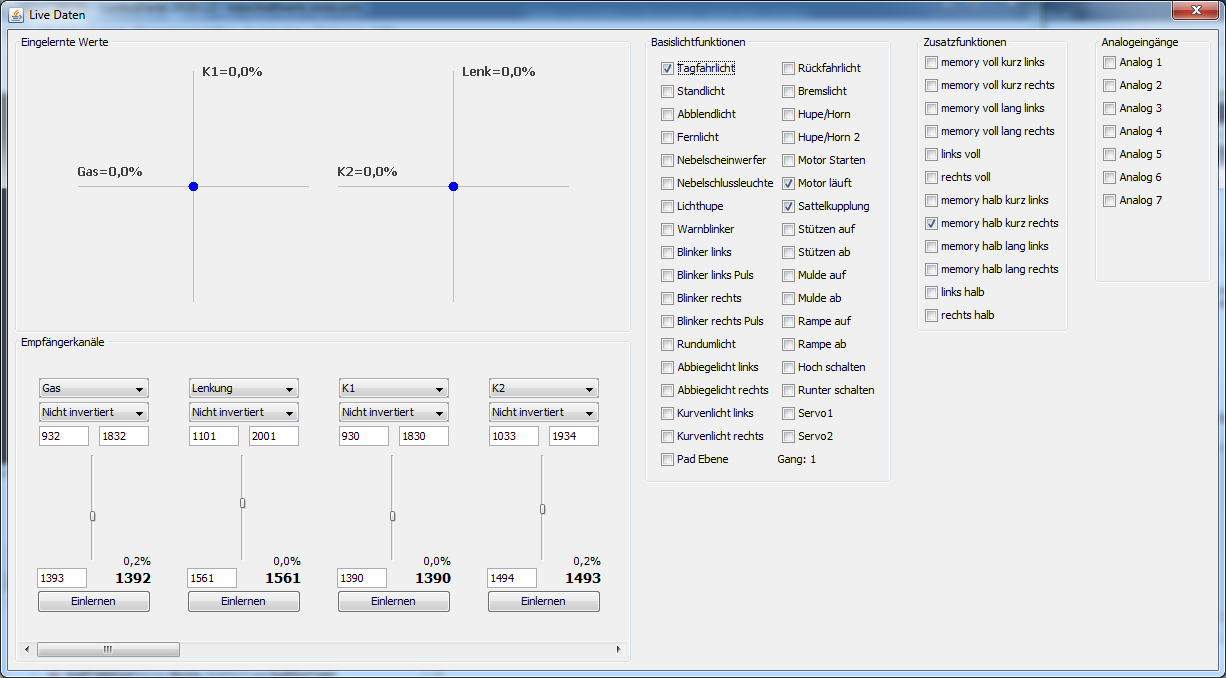
image14.png
Check whether the layer button (largest deflection) and the parking light button (second largest deflection) show different values (at least 5% difference). The same applies to the minus button and the saddle coupling.
If there is no sufficient difference, the pad is overdriving the channel and the control range must be reduced.
To adjust, click the Pair button and confirm the center position by clicking again. Then press the layer button, click again, then the minus button, click Save – done. The text on the button changes with each click.
Summary:
- Layer button and minus button should reach values over 70% (sign does not matter).
- The difference between layer button and parking light as well as minus button and saddle coupling should be at least 5%.
- Optional: High beam and fog lights (smallest deflections) should produce visible deflections over 10%.