Learning the Channels for Asymmetric Deflections
This section is only relevant if all previous steps have been carried out correctly and the high beam or fog lights show too small or no deflection.
Possible causes:
- Misadjusted center position (trimmer, subtrim)
- Electronic limitation of the channel
- Cheap remote control transmitter
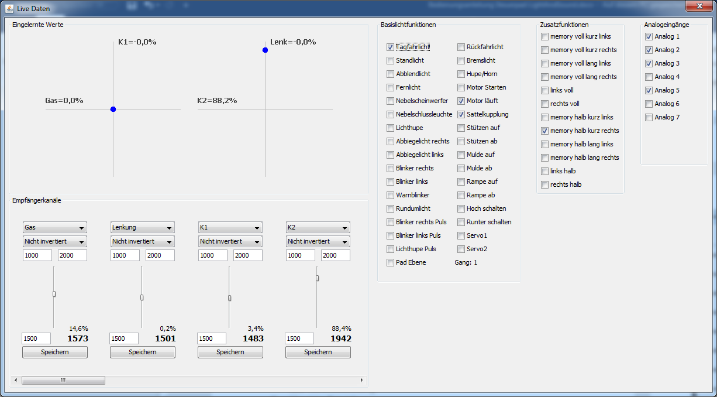
image20.png
If possible, reset all settings for the used channel and start the normal learning process.
If this is not possible, the control for both deflections must be set separately.
Open the Live Data Assistant and focus on the value marked below (when using K2, the value to the left of it). This value changes when pressing a button and should be as close as possible to the following values:
- Center position: 1500
- Level button: 1000 (depending on transmitter also 2000)
- Parking light: 1070 (depending on transmitter also 1930)
- Minus button: 2000 (depending on transmitter also 1000)
- Saddle coupling: 1930 (depending on transmitter also 1070)
The greater the control, the further the values move away from 1500. The deflection of the level button should be as far away as possible, but the deflection for the parking light must be clearly different. The same applies to the minus button and saddle coupling.
Now set the control for both deflections separately:
- Press Setup+ and S4 to set the maximum control for the positive deflection.
- Check the values for the pad button and the parking light. If these are similar (e.g., 1930 and 1925), reduce the control with Setup+ and S3 and check again. The difference should be at least 50.
- Repeat the process for the negative deflection with Setup- and the S buttons. Check the values for the minus button and saddle coupling.
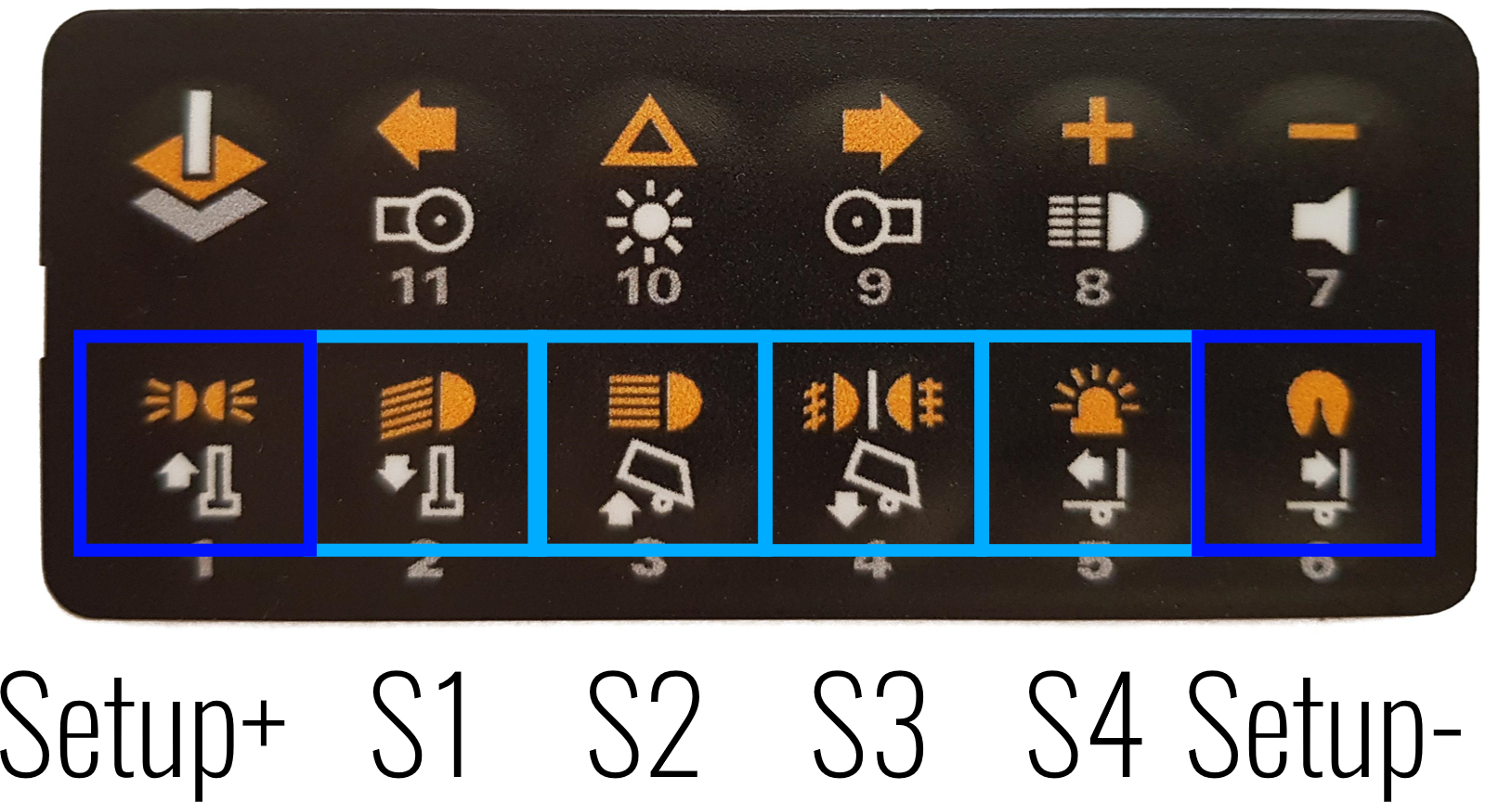
image21.png