RS1 Sound Settings
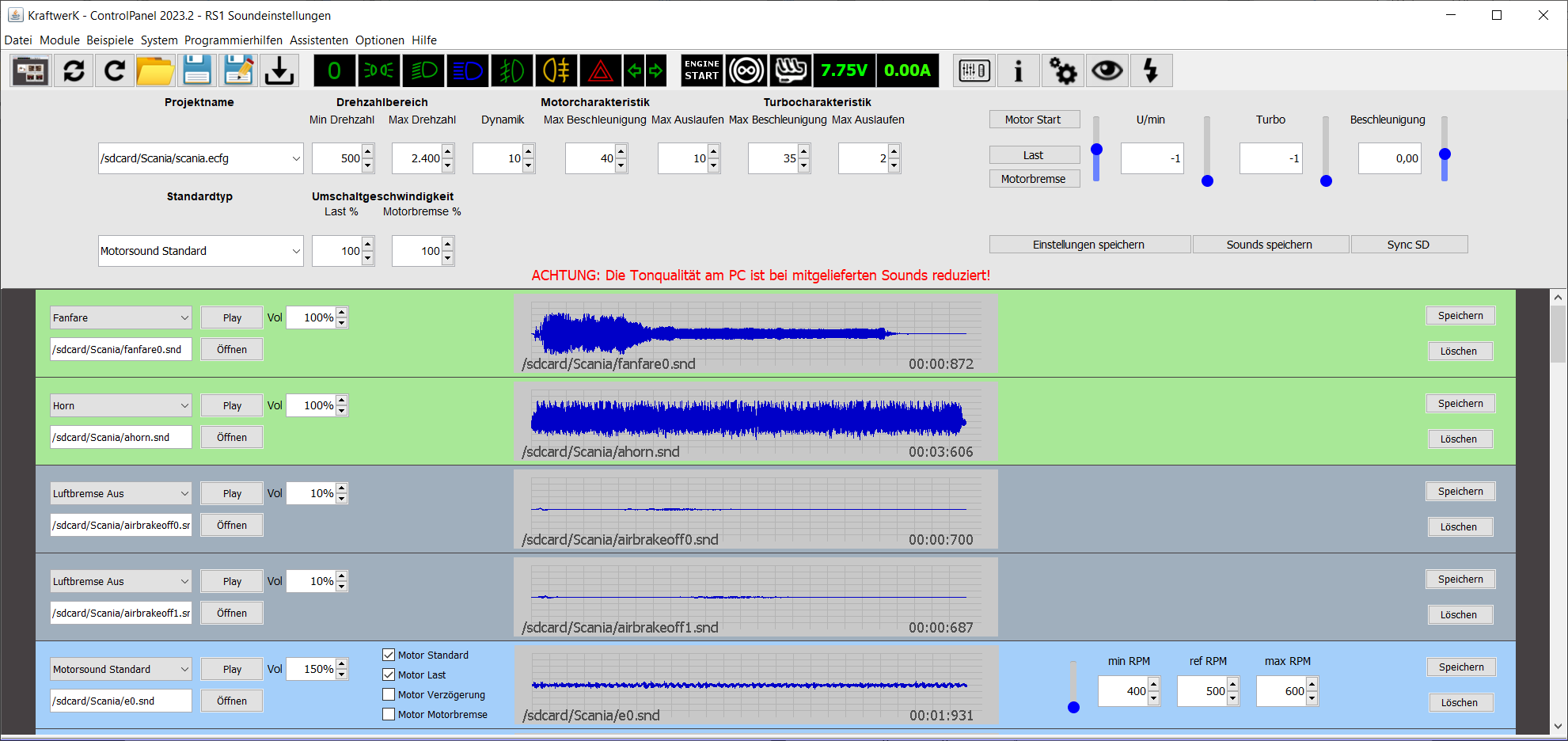
image51.png
Basic Settings

image52.png
- Project Name: Selection of projects and included sounds
- RPM Range Min/Max: Defines the engine sound RPM range
- Dynamics: Determines how agile the sound reacts to driving conditions
- Engine Characteristic: Maximum speed for acceleration and deceleration
- Turbo Characteristic: Maximum speed for turbo acceleration and deceleration
- Engine Brake Switch Speed %: Transition speed of the sound between normal state and load
- Default Type: Preselection of the sound type for new sound entries
- Load Switch Speed %: Transition speed between normal state and engine brake
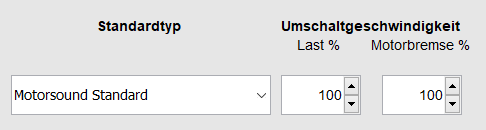
image53.png

image54.png
Note: The sounds on the PC are in reduced quality for performance and copyright reasons. Playback on the module is in full quality.
Sound Simulation on PC
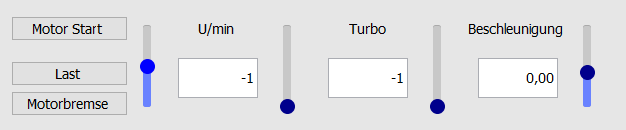
image55.png
After clicking "Engine Start," the start sound is played and the engine sound begins to run.
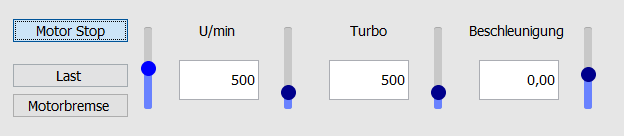
image56.png
The left slider controls the RPM: up for acceleration, down for deceleration or engine braking.
image56.png
Bars two to four visualize RPM and acceleration but cannot be directly changed. A marker shows the currently active sound and volume.

image57.png

image58.png
Save Settings
- Save basic settings
- Save sounds
- Synchronize SD card (resets all sound settings)