Sound Module
Sound modules can be operated directly on the receiver. For control via EasyBus, they must be connected to two servo outputs (directly on the KLM 4/16 or on KSB 2/4).
Servonaut SMT Compatible
One channel for throttle information, the second for starting/stopping and horn (keyed in opposite directions).

image30.png
Programmable Sound Modules (e.g. BEIER USM-RC)
Based on the Servonaut mode, but extend the possibility to control a second horn.

image31.png
The following settings must be made in the sound module:
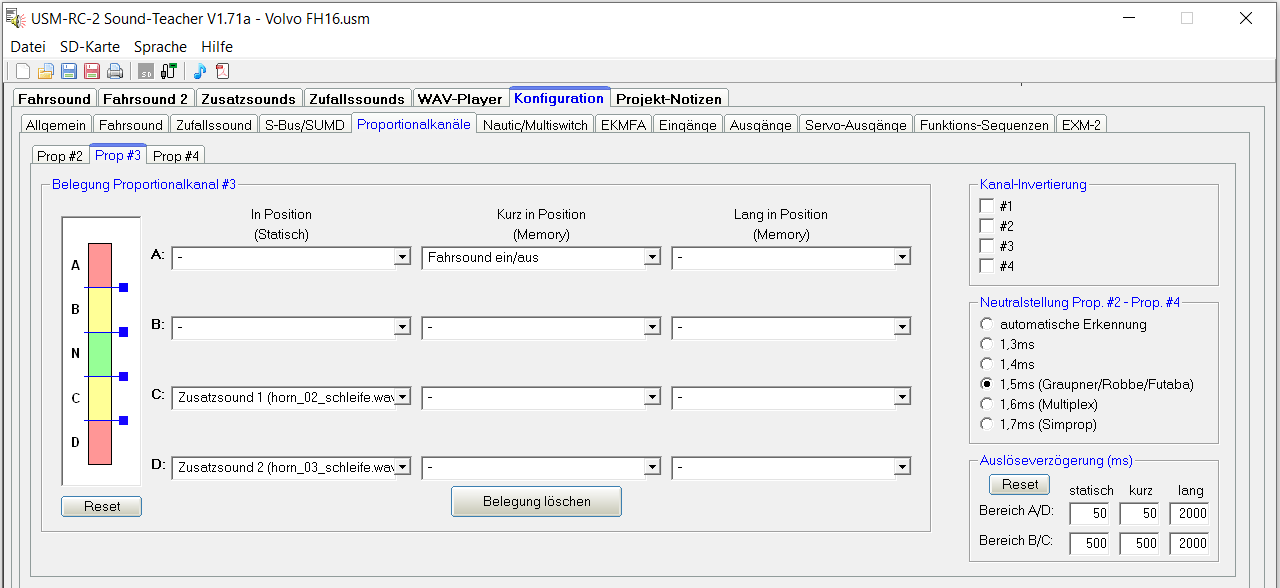
image32.png
Control of the Sound Module
No further settings are required with the Light & Sound control pad. The horn button controls the horn, the level button starts or stops the engine.
The additional channels K1 and K2 (or up to K10 when using IBUS, SBUS, SUMD, etc.) can be custom assigned in the system settings.
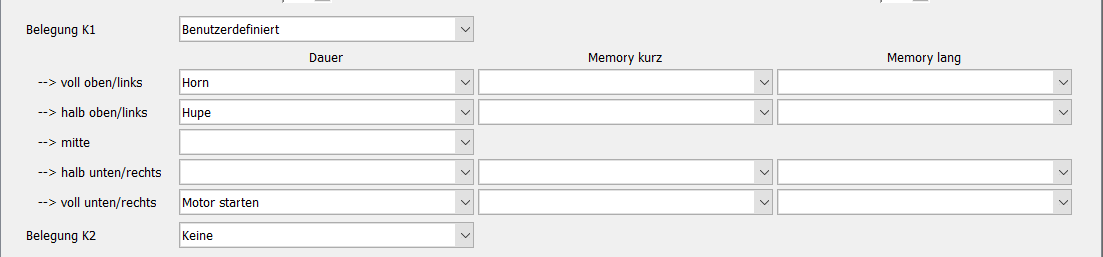
image33.png
A mix of control pad and custom assignment is also possible.
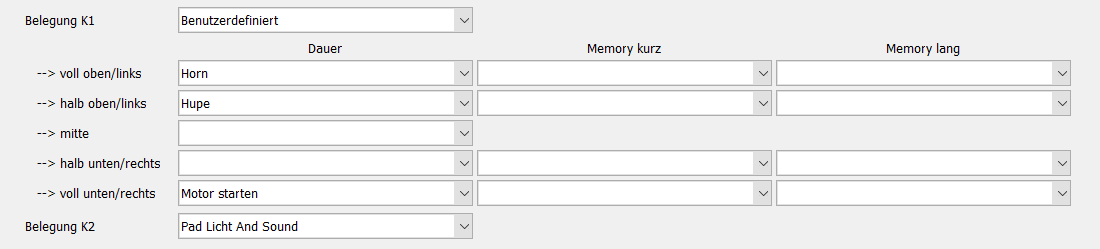
image34.png
Important Settings
- Engine starts immediately: Depending on whether the sound module starts the engine immediately, the system setting "Engine starts immediately [active]" must be set or removed.
- Caution: The drive motor is active in any case!
- Lights flicker: Each lighting board and switch extension (KLB) has system settings for "Start effect" (flickering at start) and "Engine stop light reduction" (dimming when engine stops). Use the latter only if no components with integrated electronics are controlled.
- The duration of the flickering can be adjusted with "Engine start duration" to match the sound module start duration.