Configuration of the KLM
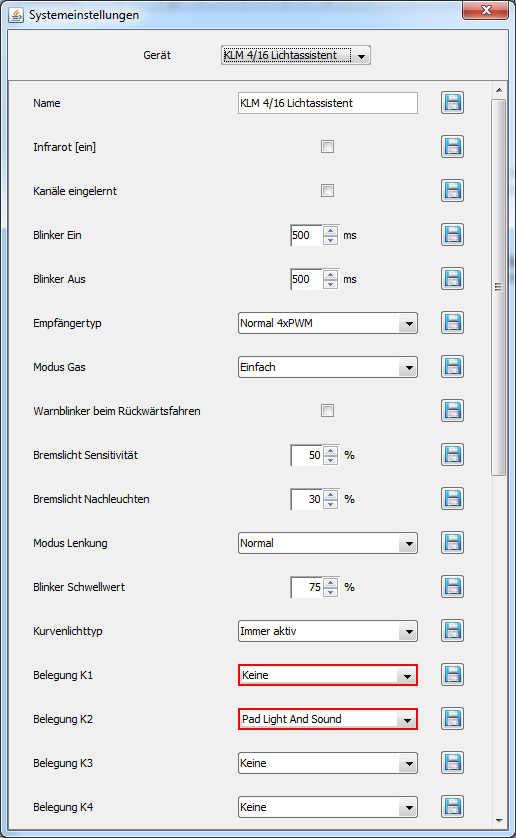
image15.png
The control pad can be used on channels K1 or K2. Connect the model via USB, turn on the remote control and model, and start the ControlPanel.
Open the system settings via the gear icon or the "System" menu item. Make sure that the KLM is selected in the dropdown list at the top.
Change the setting "Assignment K1" or "Assignment K2" to "Pad Light And Sound".
Tip: If layer control is activated for K1, the assignment for K2 is grayed out because this channel is needed for layer switching. If the pad should be used on K2, select a different assignment for K1, e.g. "Custom".
After saving, the KLM is configured for the control pad.
Tip: If you are unsure which channel the pad is connected to, the Live Data view in the ControlPanel can help.